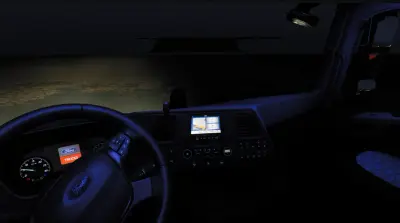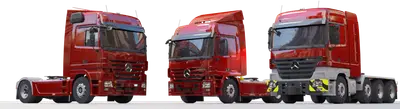
ETS 2 – Ford Trucks F-MAX – Custom Textures, Paintjob and Skin Template v2
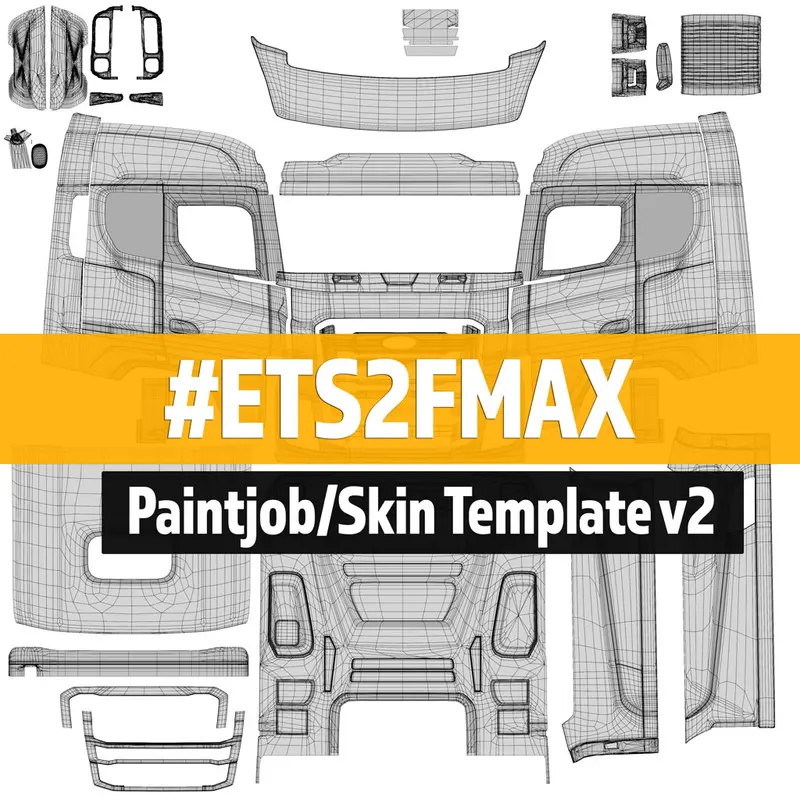
Version 2 of the skin template for the Ford Trucks F-MAX mod in Euro Truck Simulator 2 is out. It is the file you need to paint your own livery on the truck, and it lines up with the v2 model of the mod, so older templates should be retired.
#ETS2FMAX now available on Steam Workshop.
DOWNLOAD HERE (Official)
The F-MAX in ETS 2: a mod, not a base game truck
Ford Trucks is not one of the licensed brands in Euro Truck Simulator 2, and SCS Software has not added the F-MAX to the base game. We checked the SCS blog in late October 2026 and found no announcement of it. The only Ford licence SCS has used so far is on the American side: the Road Trip: Ford car DLC for American Truck Simulator, released on 29 September 2026.
In ETS 2 the F-MAX is a free community mod. It was modelled from scratch by Emre Aydın and Bertan Baday, and SiSL took over further development. Once the mod is active, the truck is sold through the mod dealer (Truck Dealers, then Access Mod Dealer). The release thread on the SCS forum lists a 12.7-litre EcoTorq engine with 500 PS and 2,500 Nm, a ZF 12TX2620 gearbox, normal and low-liner 4x2 chassis, and a set of built-in catalogue colours.
Author: Emre Aydın and Bertan Baday (model), further development by SiSL
| Workshop page, checked 29 October 2026 | |
|---|---|
| Posted | 18 November 2019 |
| Last changelog entry | 30 June 2022, “Fixed missing fonts for 1.43+” |
| File size | 770 MB |
| Current subscribers | about 528,000 |
The game itself has moved on to version 1.61, so test the mod on a spare profile before you commit a career save to it.
What the skin template is for
A truck’s paint is a texture wrapped around the 3D model. The template is that texture laid out flat: every panel of the cab (doors, side skirts, roof deflector, front) sits in a fixed place on one square image, with outlines showing where each part ends. You paint on top of those guides, so a stripe drawn across the door area lands on the door in the game. Without the template you would be guessing, and logos come out stretched or cut by panel gaps.
The game reads the finished image through a paint job definition. SCS’s modding wiki documents this as the accessory_paint_job_data unit, used for truck and trailer paint since ETS 2 1.25. It can also take a mask texture, which lets each colour channel be tinted in the game instead of baked into the image.
Making and installing a custom paint job
- Download the template v2 archive from the link above and open it in an image editor that handles layers and can save DDS files.
- Paint on layers above the guide lines, then hide the guides before export.
- Export the texture as DDS and point a
.tobjfile and a paint job.siidefinition at it. Community tools such as Paint Job Packer, shared on the SCS forum, can write these files for you. - Pack the folders into a
.scsor.zipfile and put it inDocuments\Euro Truck Simulator 2\mod. - Enable it in the Mod Manager together with the F-MAX mod, then pick the paint job in the truck’s paint menu at a service shop or your garage.
A paint job made this way only fits the F-MAX. It will not carry over to other trucks, because each model has its own texture layout. For more truck mods, see our ETS 2 trucks category.